

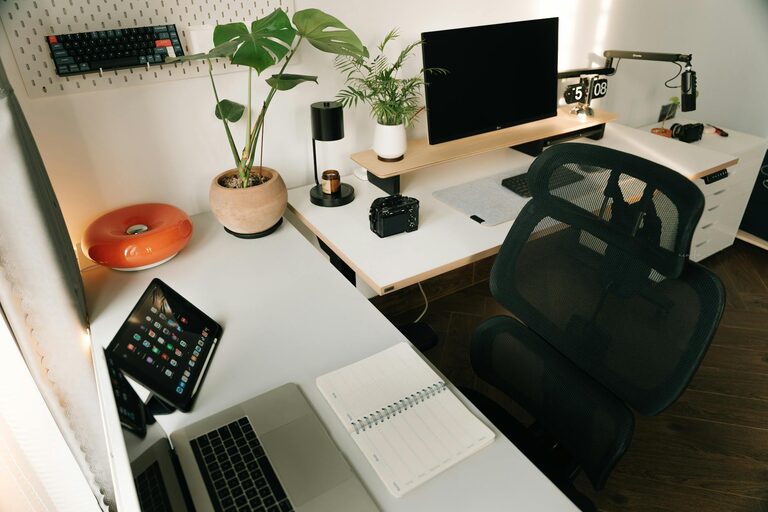
Creating a home workspace that is both organized and productive can make a big difference in how efficiently you work and how much you enjoy your day. Whether you work from home full-time or just need a spot for occasional tasks, setting up a space that supports your focus and comfort can help you make the most of your time.
In this post, we’ll explore simple, practical tips to create a home workspace that is neat, well-organized, and designed to boost your productivity.
Choose the Right Location for Your Workspace
The first step in creating an effective home workspace is selecting the best location. Here are some things to keep in mind:
– Find a quiet spot: Try to pick an area with minimal noise and distractions. This can help you concentrate better.
– Consider natural light: A workspace near a window can improve mood and reduce eye strain. If natural light is limited, invest in good artificial lighting.
– Keep it separate: If possible, avoid working from your bed or couch. Having a dedicated space helps your brain associate that area with work.
Declutter and Simplify Your Desk Area
A cluttered desk can lead to a cluttered mind. To maintain a productive workspace, keep your desk organized:
– Only keep essentials on your desk: Limit items to your computer, notebook, pens, and perhaps a small plant.
– Use organizers: Use trays, file holders, or drawer dividers to keep papers and supplies in order.
– Clear your desk daily: At the end of each workday, tidy up your area to start fresh the next morning.
Invest in Comfortable and Functional Furniture
Comfort is key when spending long hours at your desk. The right furniture supports good posture and reduces discomfort.
– Choose an ergonomic chair: A chair with adjustable height and good lumbar support can prevent back pain.
– Select a desk at the right height: Your desk should allow your arms to rest comfortably when typing.
– Consider standing desks: Alternating between sitting and standing can boost energy and reduce fatigue.
Organize Your Digital Workspace
Physical organization is important, but your digital space matters too. A tidy computer helps you work faster and more efficiently.
– Keep your desktop clean: Remove unnecessary icons and organize files into folders.
– Use productivity apps: Tools like calendars, to-do lists, and note-taking apps keep you on track.
– Back up your files: Regular backups prevent loss of important work.
Minimize Distractions
Distractions are one of the biggest productivity killers when working from home. Try these tips to stay focused:
– Turn off non-work notifications: Silence social media and personal notifications during work hours.
– Set boundaries with family or roommates: Let others know your schedule and when you need quiet.
– Use noise-cancelling headphones: They can help block background noise and immerse you in your work.
Personalize Your Workspace Thoughtfully
Adding personal touches can make your workspace inviting but avoid overdoing it.
– Add plants: Small plants improve air quality and create a calming atmosphere.
– Incorporate inspiring decor: Motivational quotes or photos can keep you motivated.
– Keep colors in mind: Soft, neutral tones tend to be less distracting and promote calm.
Establish a Routine
An organized workspace is most effective when paired with a consistent schedule.
– Set work hours: Having clear start and finish times helps maintain work-life balance.
– Take regular breaks: Short breaks improve focus and reduce burnout.
– Plan your day: Use your workspace to review tasks and prioritize projects.
Keep Supplies Within Reach
Avoid breaking your workflow searching for items by keeping frequently used supplies close.
– Use a drawer or organizer: Store pens, sticky notes, chargers, and other essentials neatly.
– Label storage: This makes it easy to find and return items quickly.
– Restock regularly: Check supplies weekly to avoid running out.
Maintain Your Workspace
Keeping your workspace clean and organized over time takes ongoing effort.
– Schedule weekly cleanups: Spend a few minutes each week to tidy and reorganize.
– Review what’s working: Occasionally assess your setup and make adjustments as needed.
– Dispose of unused items: Regularly remove things that no longer serve your workflow.
—
Creating a home workspace that supports both organization and productivity doesn’t have to be complicated. By choosing the right location, decluttering, investing in comfortable furniture, organizing your digital space, minimizing distractions, personalizing smartly, and maintaining a routine, you’ll be well on your way to a more efficient and enjoyable work-from-home setup.
Remember, the goal is to create a space that helps you focus, feel comfortable, and stay motivated throughout your day. Start small, and gradually adjust your workspace until it feels just right for you. Happy organizing!