

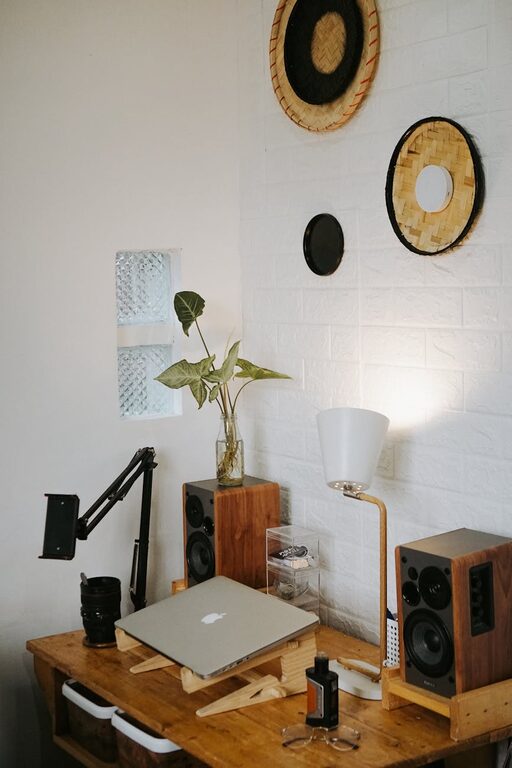
Creating a home office that is both cozy and productive can transform your work-from-home experience. Whether you’re new to remote work or looking to refresh your current setup, a few thoughtful changes can improve comfort, focus, and efficiency. In this post, we’ll explore practical tips to help you design a workspace that suits your needs and keeps you motivated.
Choose the Right Location
Selecting the best spot in your home for your office is the first step. Ideally, pick a quiet area with minimal distractions. Natural light is a big plus—it can boost your mood and energy levels throughout the day. If possible, position your desk near a window. If natural light is limited, invest in good quality lighting that reduces eye strain.
Invest in Comfortable Furniture
Comfort is key to staying productive. Choose an ergonomic chair that supports your back and allows for good posture. Your desk should be at a comfortable height, with enough surface area for your computer, paperwork, and any other tools you use regularly. Adjustable furniture is a bonus, giving you the flexibility to change positions or switch between sitting and standing.
Keep Your Space Organized
A tidy workspace helps clear your mind and minimize distractions. Use storage solutions like shelves, drawers, or filing cabinets to keep clutter off your desk. Organize supplies with containers or organizers, so everything has its place. Regularly declutter and only keep items you truly need within reach.
Tips for Organization:
– Use cable management tools to keep cords neat.
– Label storage boxes and files for easy access.
– Keep a planner or whiteboard nearby for to-do lists and reminders.
Personalize Your Workspace
Adding a personal touch makes your office feel inviting. Select a few decorative items that inspire you, such as artwork, plants, or photos. Plants are especially beneficial—they can improve air quality and add a calming natural element. However, avoid overcrowding your desk to maintain a clean, distraction-free environment.
Manage Noise Levels
Noise can disrupt your concentration, especially in busy households. If possible, use noise-canceling headphones or play soft background music or white noise to help you focus. You might also consider adding rugs or curtains to absorb sound and reduce echo.
Optimize Technology Setup
A smooth technology setup prevents frustration. Ensure your internet connection is reliable and your devices are up to date. Organize your workspace so that your computer, monitor, keyboard, and mouse are arranged ergonomically. Consider investing in extras such as an external monitor or keyboard if they help improve comfort and productivity.
Establish Boundaries
Creating a clear boundary between your work area and living space helps maintain a healthy work-life balance. When your workday ends, close the door or put away work materials to signal the transition. Communicate your work hours with others in your home to minimize interruptions.
Take Regular Breaks
Even the best workspace can’t replace the benefits of stepping away occasionally. Schedule short breaks throughout your day to stretch, walk around, or grab a healthy snack. This helps prevent fatigue and maintains focus over longer periods.
Keep Your Workspace Well-Ventilated
Fresh air keeps your mind sharp. If your office lacks windows that open, consider an air purifier or fan to improve airflow. A comfortable room temperature also contributes to your overall comfort and productivity.
—
Creating a cozy and productive home office is a personal process. Experiment with these tips and adjust them to fit your lifestyle and preferences. A thoughtfully designed space can enhance your work experience and help you stay motivated every day.