

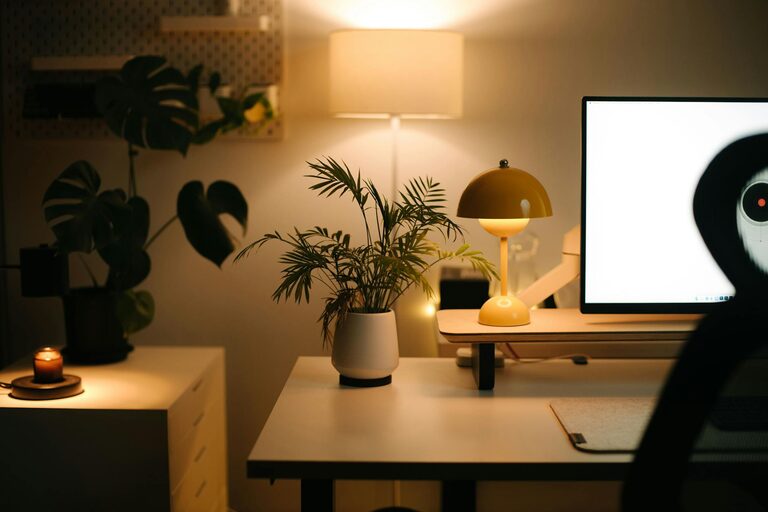
Creating a comfortable and efficient home office is essential for anyone working remotely or juggling tasks at home. A well-designed workspace not only boosts your productivity but also helps maintain a healthy work-life balance. Here are practical tips to help you set up a cozy and productive home office space.
Choose the Right Location
Finding the ideal spot for your home office is the first step. Consider the following:
– Natural Light: Position your desk near a window when possible. Natural light improves mood and focus.
– Quiet Area: Pick a space with minimal noise and distractions.
– Space Availability: Ensure there’s enough room for your equipment and movement.
Even a small corner can become a functional office with the right setup.
Invest in Ergonomic Furniture
Comfort is key when spending hours working. Investing in ergonomic furniture helps prevent strain and fatigue.
– Ergonomic Chair: Look for adjustable chairs with good lumbar support.
– Desk Height: Your desk should allow you to sit with your feet flat on the floor and elbows at a 90-degree angle.
– Keyboard and Mouse: Use ergonomic keyboards and mice to reduce wrist strain.
Comfortable furniture encourages better posture and long-term health.
Optimize Lighting
Good lighting reduces eye strain and keeps you alert.
– Use Task Lighting: Desk lamps with adjustable brightness let you focus light exactly where you need it.
– Avoid Glare: Position screens perpendicular to windows to minimize glare.
– Consider Color Temperature: Warm light creates a cozy atmosphere, while cooler light can be more energizing for focused work.
Balancing ambient and task lighting helps maintain energy levels throughout the day.
Personalize Your Space
Adding personal touches makes your workspace inviting and motivating.
– Decorate with Plants: Indoor plants improve air quality and add a calming natural element.
– Use Art and Photos: Surround yourself with images that inspire or cheer you up.
– Choose Soothing Colors: Soft colors promote calmness and focus.
A personalized space feels welcoming and encourages creativity.
Keep It Organized
Clutter can distract and decrease productivity. Keeping your office organized helps maintain focus.
– Use Storage Solutions: Shelves, drawers, and baskets keep supplies tidy.
– Manage Cables: Use clips or sleeves to keep cords under control.
– Daily Declutter: Spend a few minutes each day clearing your workspace.
An organized desk creates a clear mind.
Set Boundaries
Working from home can blur the lines between work and personal life.
– Establish Office Hours: Set specific start and end times for your workday.
– Use Physical Boundaries: Close doors or use room dividers to separate your office area.
– Communicate: Let family or housemates know your schedule to minimize interruptions.
Clear boundaries support focus and reduce stress.
Incorporate Technology Wisely
Technology is essential but should support your productivity without overwhelming you.
– Reliable Internet: Ensure your connection is stable for video calls and downloads.
– Essential Devices: Have the necessary hardware like a good monitor, keyboard, and headphones.
– Minimize Distractions: Use apps or settings that limit notifications during work periods.
Tech tools are there to enhance your work, so choose what truly adds value.
Take Regular Breaks
A cozy office encourages you to take breaks that refresh your mind.
– Follow the 20-20-20 Rule: Every 20 minutes, look at something 20 feet away for 20 seconds.
– Move Around: Stand, stretch, or walk to avoid stiffness.
– Hydrate and Snack: Keep water and healthy snacks at hand.
Regular breaks improve concentration and wellbeing.
Final Thoughts
Designing a home office that combines comfort and productivity is a personal process. By considering lighting, furniture, organization, and personalization, you can create a space that supports your work and nurtures your wellbeing. Start with small changes and build a workspace where you enjoy spending time every day.